











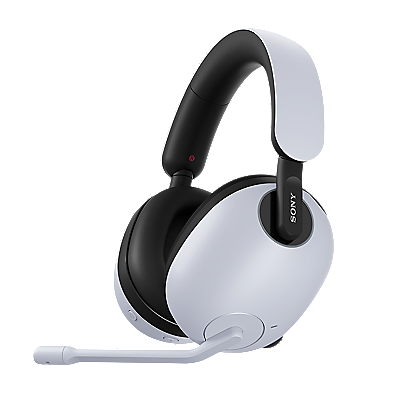












Over-ear headphones | Taking care of your headphones
If you are using WH-1000XM6 headphones, refer to the following page: How to care for and clean your WH-1000XM6 headphones
Basic care
Clean the headphones regularly by wiping them with soft cloth.
Wipe your headphones regularly with a soft cloth to keep them clean.
If sweat, rain, or other moisture remains on the headphones, it can cause the headphone casing to deteriorate or rust the metal parts
If there is noticeable dirt, wipe it off with a pure water-type wet wipe, then let the headphones dry thoroughly at room temperature.
- Note:
- Do not use wet wipes containing alcohol, thinner, benzine, or similar substances, as they can damage the headphones and exterior surface.
If your headphones come with a carrying case, store them in the case after each use.
Cleaning the earpads
Gently wipe away dirt with a soft cloth or pure water-type wet wipe, then let them dry thoroughly at room temperature.
Moisture and natural skin oils can darken the earpads, but this does not affect performance. Regular cleaning and thorough drying can reduce discoloration.
- Note:
- Do not use wet wipes containing alcohol, thinner, or benzine, as they can damage the earpads.
Charging tips and preventive care
Charge the headphones after each use so they're always ready for your next listening session.
Charging precautions
Charging the headphones while sweat or other moisture is present can cause malfunctions.
Before charging, make sure the headphones, the area around the USB port, and the USB cable are dry. If any of these parts remain damp, wipe the moisture off with a dry, soft cloth, then let the headphones dry at room temperature before charging. If any of these parts remain damp, wipe the moisture off with a dry, soft cloth, then let the headphones dry at room temperature before charging.
Notes:
- Do not use the headphones with wet hands or charge them while they are wet, as this can cause electric shock.
- Damage caused by water exposure is not covered under warranty and may require paid repairs.
Precautions while using your headphones
On models with a USB port cover, keep the cover securely closed during use. Fine debris such as sand, hair, or dust can allow moisture to enter, so be careful not to trap them around the USB port cover.
Avoid opening or closing the USB port cover with wet or dirty hands (sweat, sand, or other debris), as this can cause malfunctions.
- Note:
- Never pour water over or rinse the headphones. Moisture can get inside and cause electric shock or malfunctions.
Contact support
Contact our Support team
Repair & Warranty Services
Book a repair, check service centre locations and warranty conditions.
Support by Sony (Mobile App)
Never miss an update again! Find information and receive instant notifications about your product

